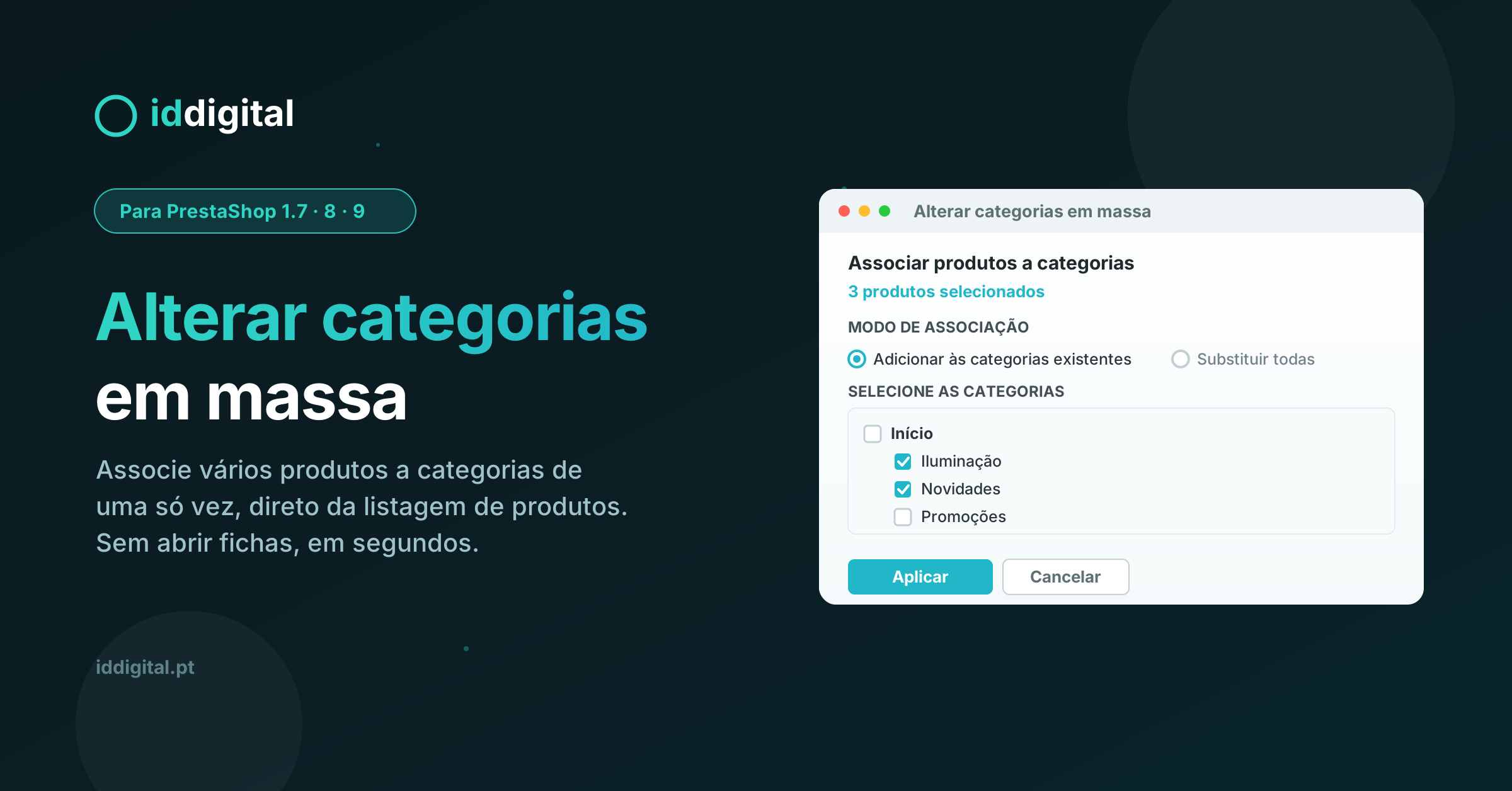
Select the products you want, choose categories from a tree with quick search, and apply in seconds. Add new categories to existing ones or replace them all at once, and set the default category.
Bulk Edit Product Categories in PrestaShop
If you manage a PrestaShop store with dozens, hundreds or thousands of products, you know how time-consuming it can be to keep your catalogue organised. Assigning products to categories one by one, opening each product page individually, is a slow and repetitive task that eats up valuable time.
The Bulk Edit Categories module solves that problem. Directly from the product listing in your back office, select the products you want, choose the categories and apply the changes in seconds — without opening a single product page.
How it works
The module adds a "Bulk Categories" button at the top of the product listing, alongside the actions you already know. The workflow is simple and intuitive:
Select the products you want to update (one, several or all).
Click "Bulk Categories".
Choose categories from a tree with a built-in search field.
Select the assignment mode and apply.
In a matter of seconds, dozens of products are organised exactly the way you want.
Two assignment modes
Add to existing categories — keeps the categories products already belong to and adds the new ones. Ideal for including products in a campaign, collection or seasonal category without disrupting your current structure.
Replace all categories — removes previous assignments and keeps only the selected categories. Perfect for catalogue reorganisations and clean-ups.
Features
Bulk assignment directly from the product listing — no opening product pages, no CSV imports, no complicated exports.
Category tree with search — quickly find any category, even in large and deeply nested catalogue structures.
Default category setting — choose which of the selected categories becomes the primary category for the products, or keep the current one.
Flexible selection — work with a single product, a specific selection or all products on the page.
Instant confirmation — receive a success message and the listing updates automatically.
Compatibility and installation
Compatible with PrestaShop 1.7, 8 and 9.
Installation in seconds: upload the module, install it and it's ready to use. No configuration required.
Integrates natively into the back office, respecting the PrestaShop look and feel.
All operations are processed within the back office, using PrestaShop's native authentication and validation. Changes are executed with the system's official tools, preserving the integrity of your catalogue.
Who is this module for
Stores with large catalogues that need to reorganise products frequently.
Managers who spend too much time categorising products manually.
Anyone running campaigns, collections or seasonal categories who needs to move many products at once.
Any store that values a well-organised catalogue without the manual effort.
Save time, organise smarter and keep your catalogue in order with just a few clicks. If you need additional support for your store, explore our online store creation services or speak with a PrestaShop expert.
Features
Bulk assignment of products to categories directly from the product listing
"Bulk Categories" button integrated at the top of the listing
Select one, several or all products at once
"Add to existing categories" mode
"Replace all categories" mode
Category tree with built-in search field
Set the default category (or keep the current one)
Apply changes in seconds, without opening product pages
Confirmation message and automatic listing refresh
Secure processing within the back office, using PrestaShop's native authentication and validation
Compatible with PrestaShop 1.7, 8 and 9
Instant installation, no configuration required
Native back office integration, respecting the PrestaShop look and feel
We use cookies to keep the website working properly and, with your consent, to analyse how pages are used and improve your experience. You can accept all, reject non-essential ones or choose your preferences. Learn more in our Cookie Policy.
Essential
Required for the site to work (session, cart, security). They cannot be disabled.
Statistics
They help us understand, anonymously, how visitors use the site so we can improve it.
Marketing
Used to show you more relevant content and communications.